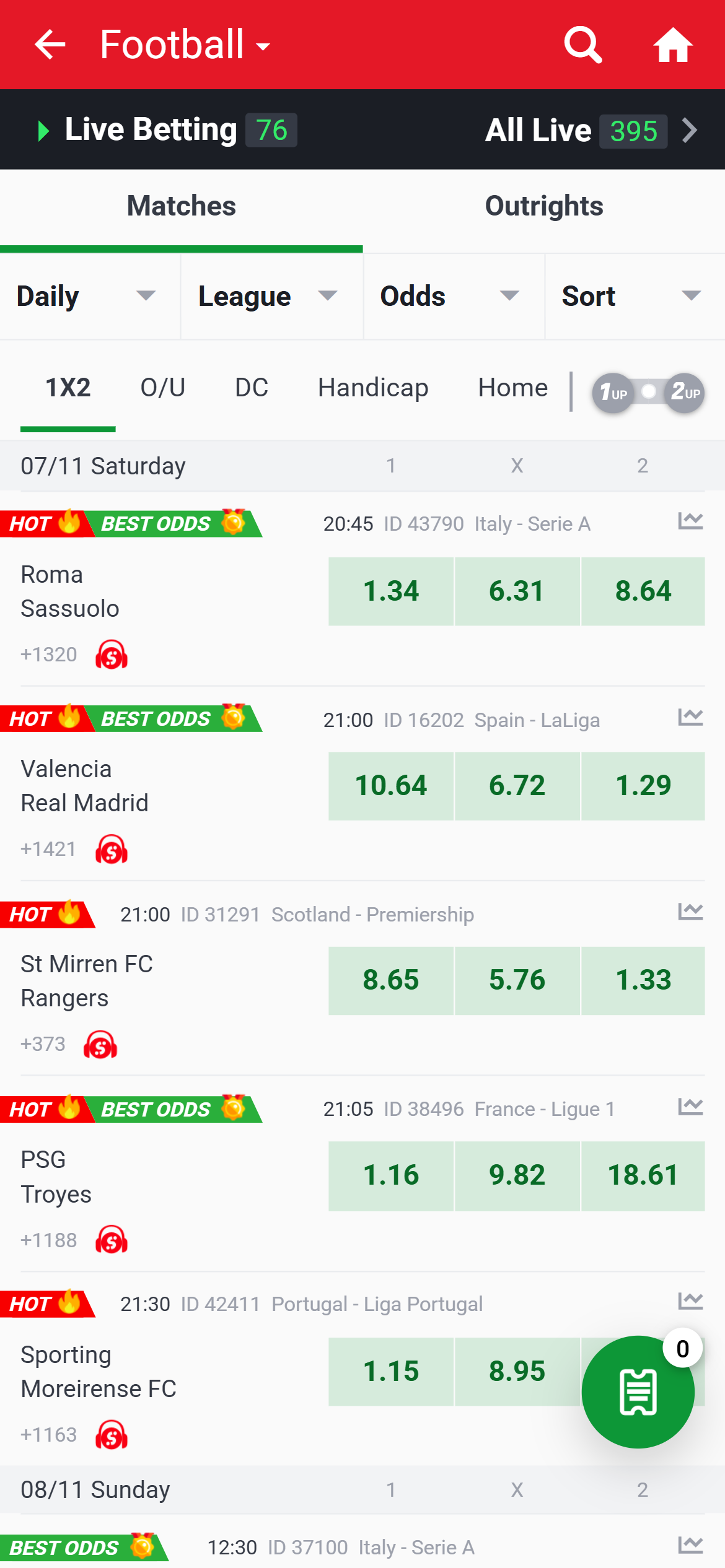
- Useful feature: Daily, League, Odds and Sort sit together above the list.
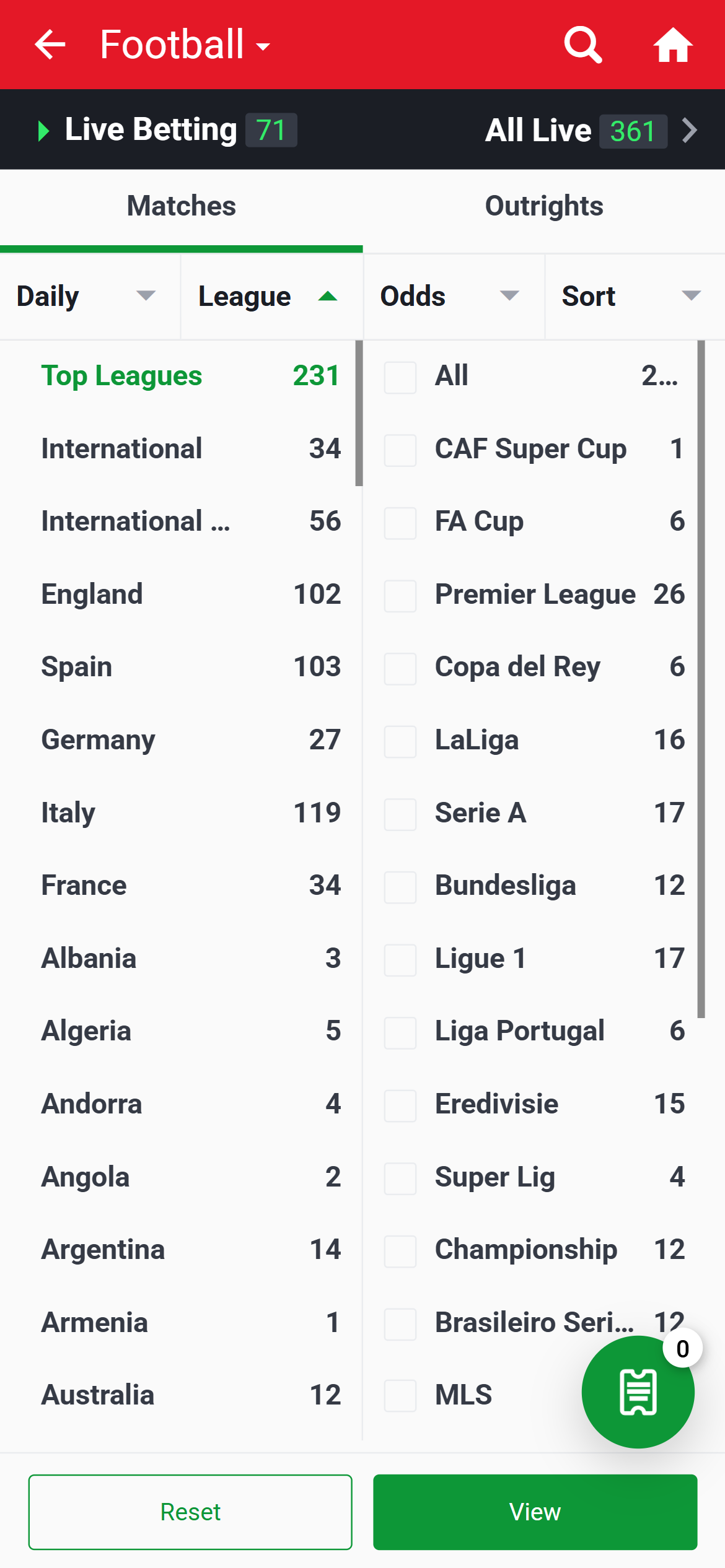
- League selection: country groups and competition checkboxes occupy separate columns.
- Tradeoff: long labels are shortened; later market categories need horizontal navigation.
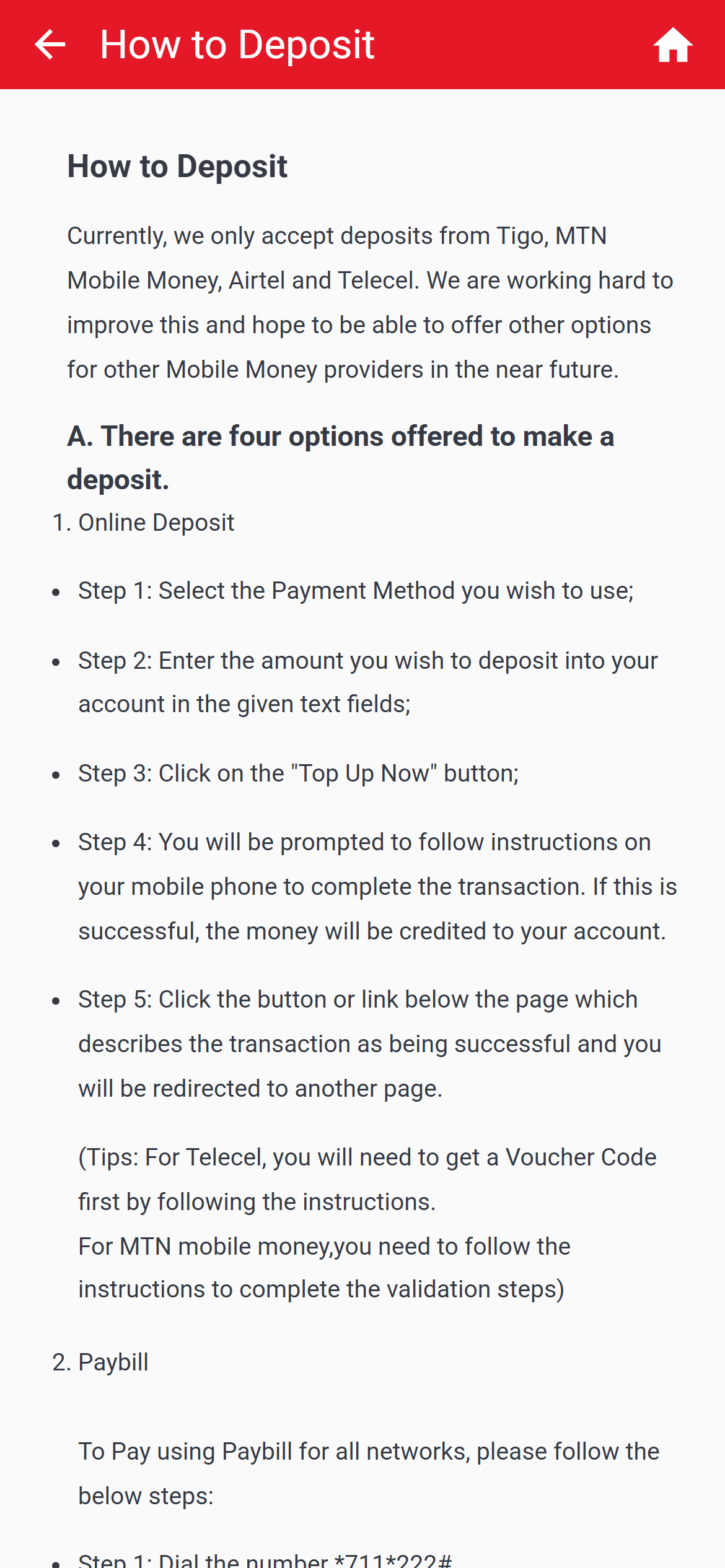
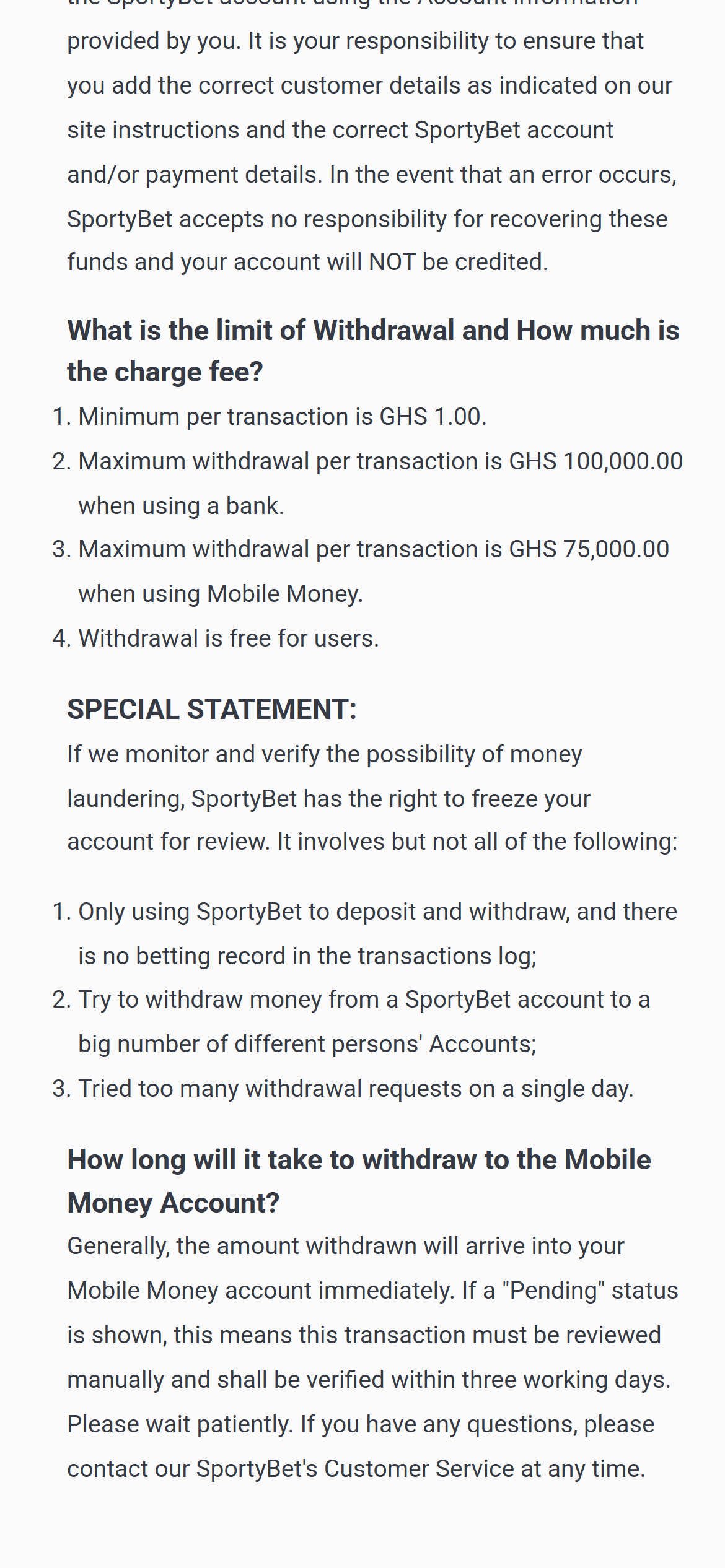
- Minimum: GHS 1 for deposits and separately for withdrawals.
- Per-transaction ceilings: GHS 100,000 deposit; GHS 75,000 Mobile Money or GHS 100,000 bank withdrawal.
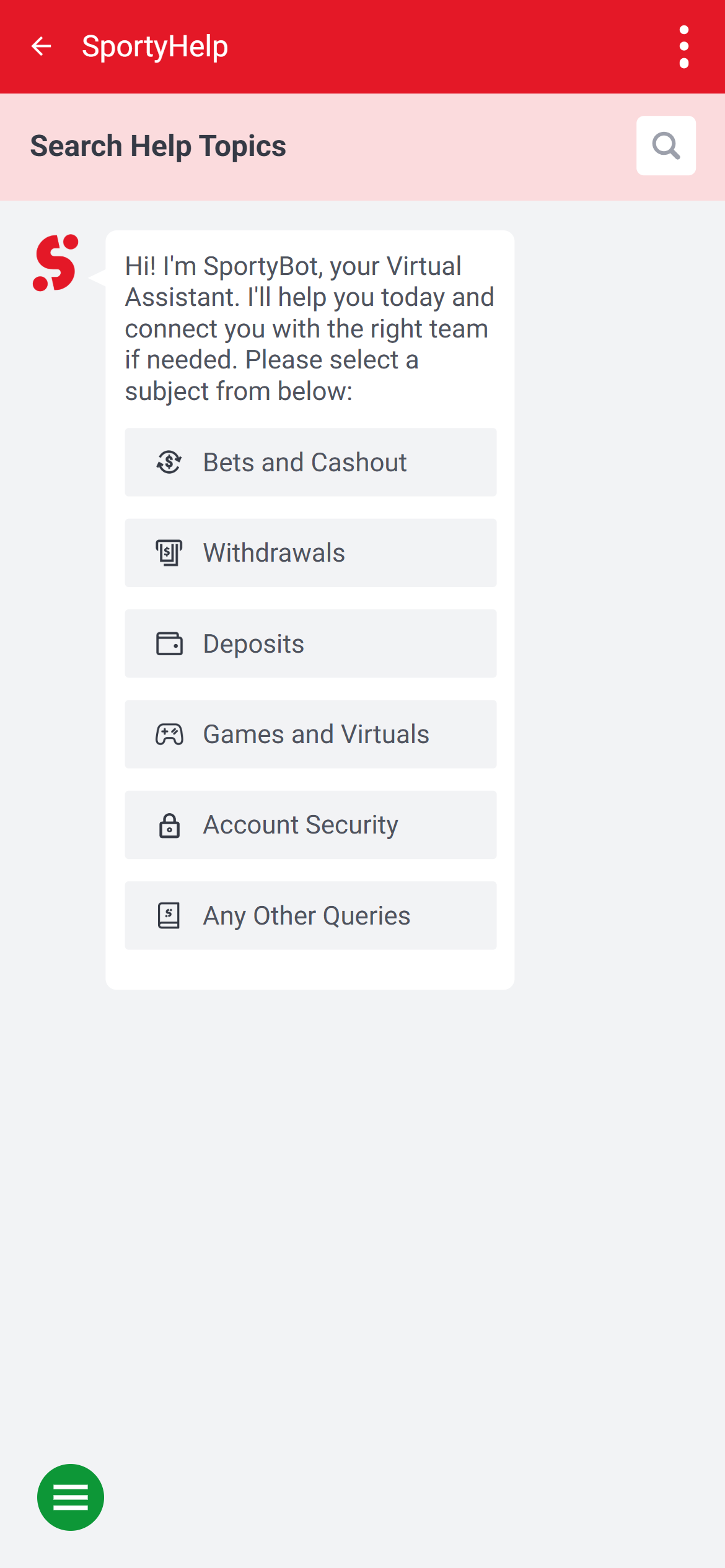
- Help: Me opens SportyHelp’s topic search and virtual assistant.
Football navigation on a phone
A compact list away from Home’s promotions
The Football page puts Matches and Outrights below the live-event shortcut. Daily, League, Odds and Sort form the next row, followed by market labels such as 1X2, O/U and DC. Each fixture shows its start time, competition, teams and additional-market count. This makes the dedicated list easier to scan than Home, where promotional shortcuts, featured cards and live fixtures share space.
The search and Home icons stay in the red header, and a floating slip counter sits near the lower-right corner. The market ribbon extends beyond the visible width, so later options need sideways navigation. Events, times and prices in these images are dated examples from 7 November, rather than current offers.
Two columns inside League
Opening League expands a country-and-competition selector over the fixture list. Top Leagues and country groups sit on the left; competition checkboxes sit on the right. Reset and View remain at the bottom. Separating these choices helps narrow a large schedule without repeatedly returning to the main sports menu.
The compromise is space. At the captured phone width, labels such as International Clubs and Brasileiro Serie A are shortened, and each long column has its own scrolling area. A reader looking for an unfamiliar competition may need to inspect both the country group and the partially visible name.
Inside a match: categories above a long list
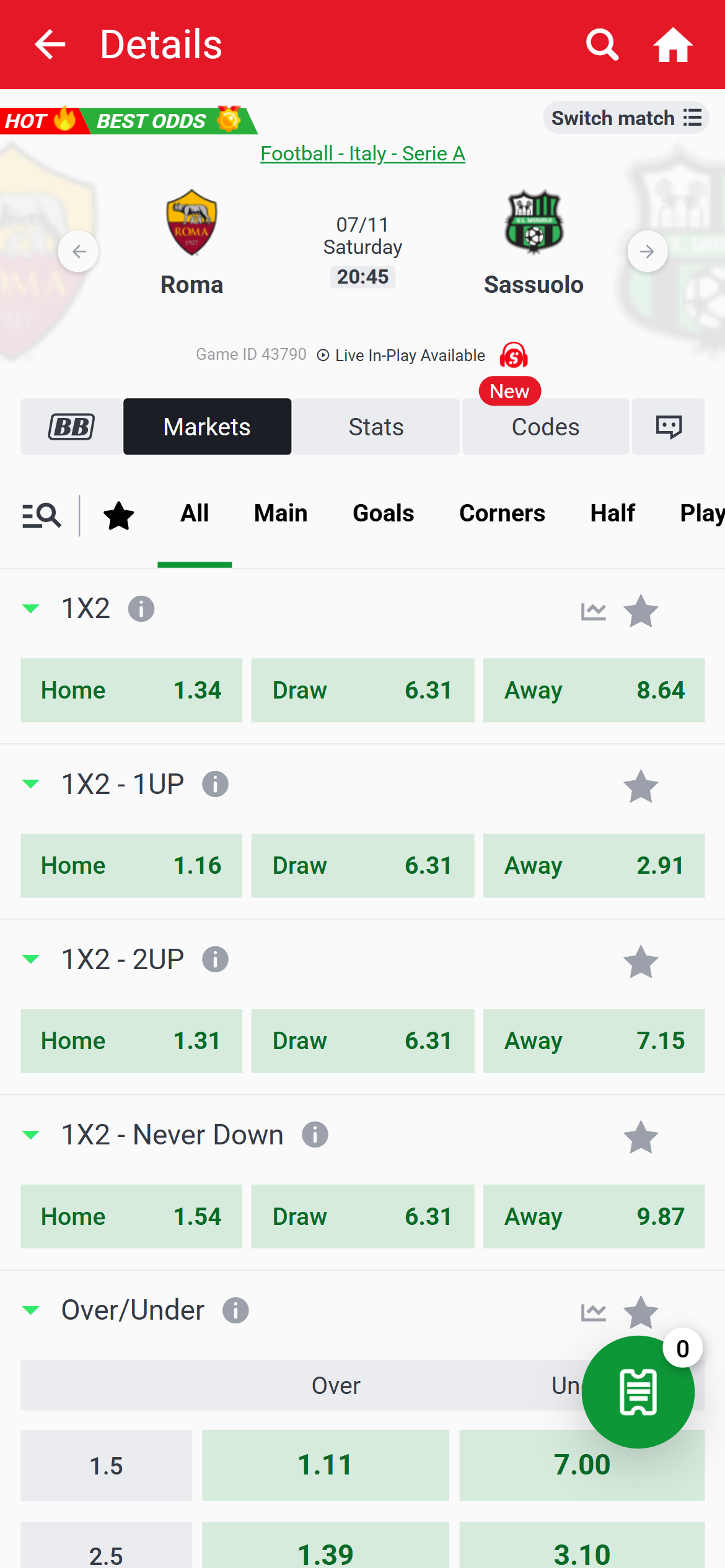
The Roma–Sassuolo example places the competition, teams, date, start time and game ID above Markets, Stats and Codes. A separate category ribbon includes All, Main, Goals, Corners and Half, with further categories extending to the right. Search and favourite controls appear beside it.
The All view begins with several separately named 1X2 variants before the total-goals panels. The category structure provides a route through that longer list, but it also makes the exact market label important: adjacent panels describe different products. Team and time information remains visually distinct from the market controls.
Mobile Money, card deposits and withdrawal conditions
Wallet instructions depend on the number and method
The public How to Deposit guide names Tigo, MTN Mobile Money, Airtel and Telecel. These are its published wallet labels. It distinguishes a Telecel voucher step from MTN validation, describes Paybill through *711*222#, and has a separate Visa and Mastercard deposit section.
The registered phone number matters. The guide warns that a successful deposit from a different number can create another account for that number. Its secondary-number procedure instead requires the primary account to be verified with a Ghana Card or Voter’s ID and confirmation through the existing number. This is a meaningful distinction between adding a number through the account and simply paying from one.
The same guide states GHS 1–100,000 per deposit transaction and no deposit charge. Its opening statement about accepting only four wallet labels sits alongside its later card instructions; the separate Card section is the source for that additional method. Compare Mobile Money conditions.
Different ceilings for Mobile Money and bank withdrawals
The dedicated withdrawal guide gives a GHS 1 minimum, a GHS 75,000 Mobile Money maximum and a GHS 100,000 bank maximum, each per transaction. It lists the same four wallet labels and describes withdrawals as free for users.
The timing statements answer two different cases. The General FAQ says amounts below GHS 7,500 per transaction are processed instantly. The dedicated guide says a Pending status requires manual review within three working days. Neither statement means that every request below a ceiling will avoid an account check, and the FAQ does not make GHS 7,500 the withdrawal maximum.
| Subject | Published condition |
|---|---|
| Deposit | GHS 1–100,000 per transaction; deposit guide states no charge. |
| Mobile Money withdrawal | GHS 1–75,000 per transaction; withdrawal guide states free for users. |
| Bank withdrawal | GHS 100,000 maximum per transaction in the withdrawal guide. |
| Pending review | Dedicated guide allows three working days for manual verification. |
| Destination | Finance clause 2.1: return to the depositing payment account where possible, and pay only the registered account holder. |
| Cost exception | Finance clause 2.3 reserves reasonable deposit and withdrawal costs when a deposit has not been used in full; no fixed rate is given. |
The finance terms therefore qualify the help pages’ simple fee statements. A published transaction ceiling also differs from the FAQ’s sports-payout figures, which concern winnings rather than one transfer. For a restricted or delayed request, ask support for its status, exact clause and available account or refund options. Keep a dated payment record.
Me, transaction records and identity checks
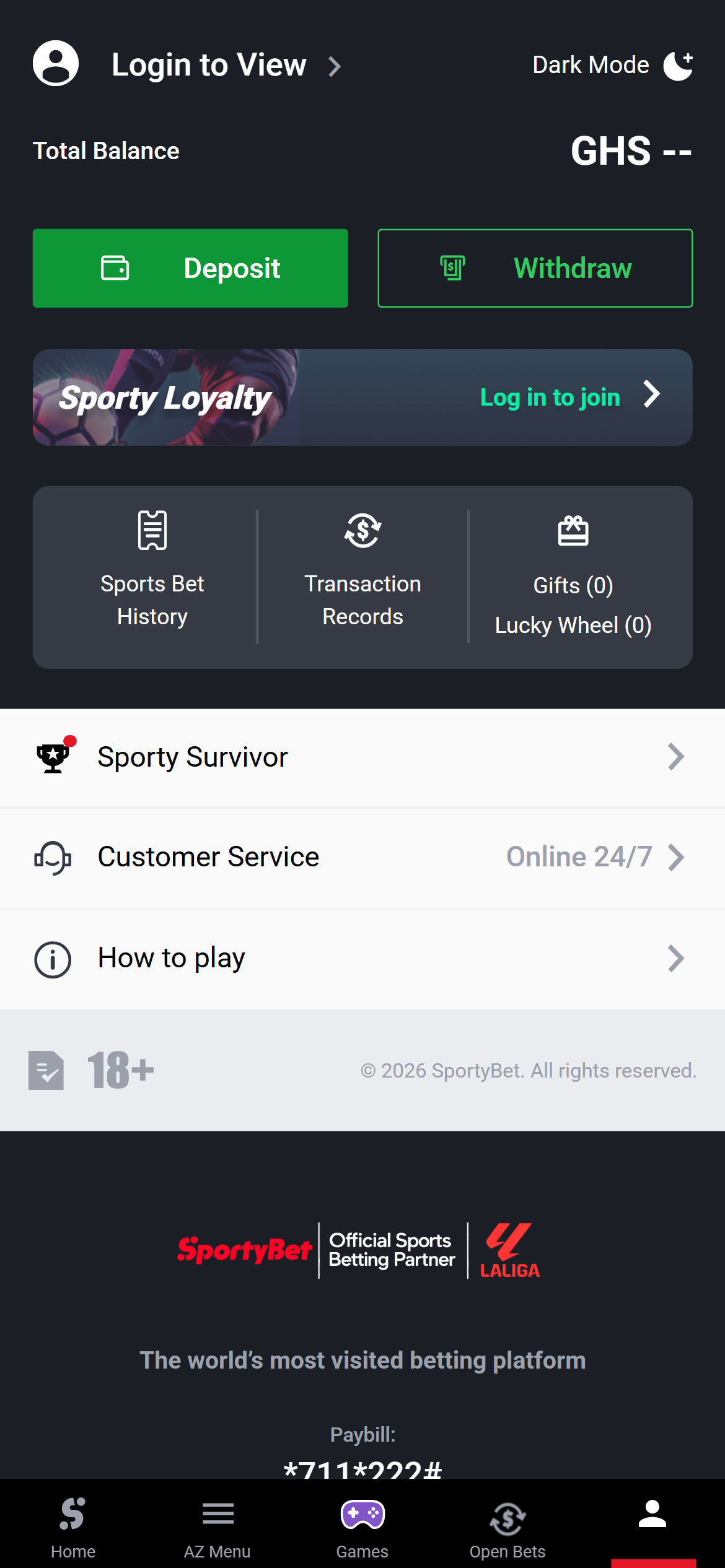
The public Me screen places Deposit and Withdraw together above separate Sports Bet History and Transaction Records entries. Customer Service and How to play sit below. Login to View and a balance placeholder make the account boundary clear while keeping the help route visible.
The FAQ places password changes under My Account(Me) Info → Change Password and password recovery under Forgot Password. These are the operator’s instructions; the public Me shortcuts use shorter labels. Account clause 2.6 separately says transaction history and balance are available after login.
The account terms allow identity checks and restrictions until checks are satisfactory. An address check by letter may leave withdrawals pending; only one account is permitted. Clauses 5.1–5.3 restrict platform use to Ghana residents with valid Ghana government photo ID who are within Ghana, and reserve account closure and withholding of winnings for breaches. A publicly viewable page does not remove those eligibility conditions.
Ghana support: topic search before a conversation
Me → Customer Service opens SportyHelp. The initial page offers Search Help Topics and introduces SportyBot as a virtual assistant. Its topic cards separate Withdrawals, Deposits and Account Security from Bets and Cashout, Games and Virtuals, and other queries. This gives payment and access problems distinct starting points.
The Me entry advertises Online 24/7; the opened view begins with an automated assistant rather than a visible human conversation. The Ghana desktop footer also publishes telephone 0596921899 and ghana.support@sportybet.com. These alternatives are useful when a topic menu does not answer the issue.
The Gaming Commission FAQ, read on 7 November, describes complaints by email or letter with supporting evidence, or by completing a form at its premises. Keep transaction references, amounts, dates, the displayed status and correspondence together. Send a factual correction about this review.
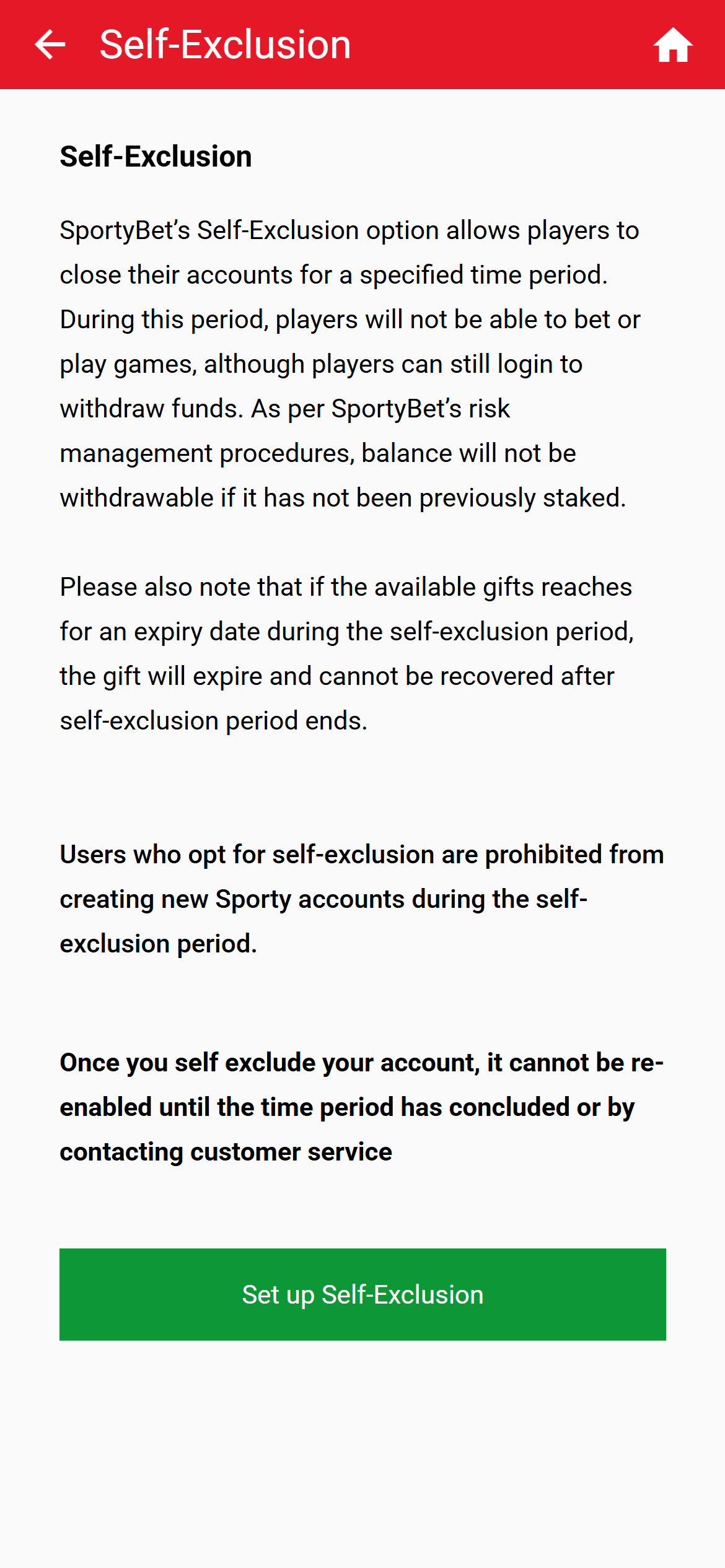
Self-exclusion has a material balance restriction
The public Self-Exclusion page, reached through About Us → Responsible Gaming, describes closing access to betting and games for a specified period while retaining login for withdrawals. However, it also says a balance that has not previously been staked is not withdrawable. That qualification materially limits the otherwise broad withdrawal statement.
The page prohibits new Sporty accounts during exclusion and says gifts can expire during the period. Its reopening wording mentions the end of the period or contacting customer service, so the page should not be read as an unconditional promise that support cannot reopen an account. It shows a Set up Self-Exclusion control but no duration list in the initial view.
If funds are affected by the restriction, use official support to request the applicable rule and refund or account-closure options; placing bets to release a balance is not a safe resolution. Independent gambling-support resources are available separately. Gambling can cause financial and psychological harm. This guide is for adults aged 18 and over.
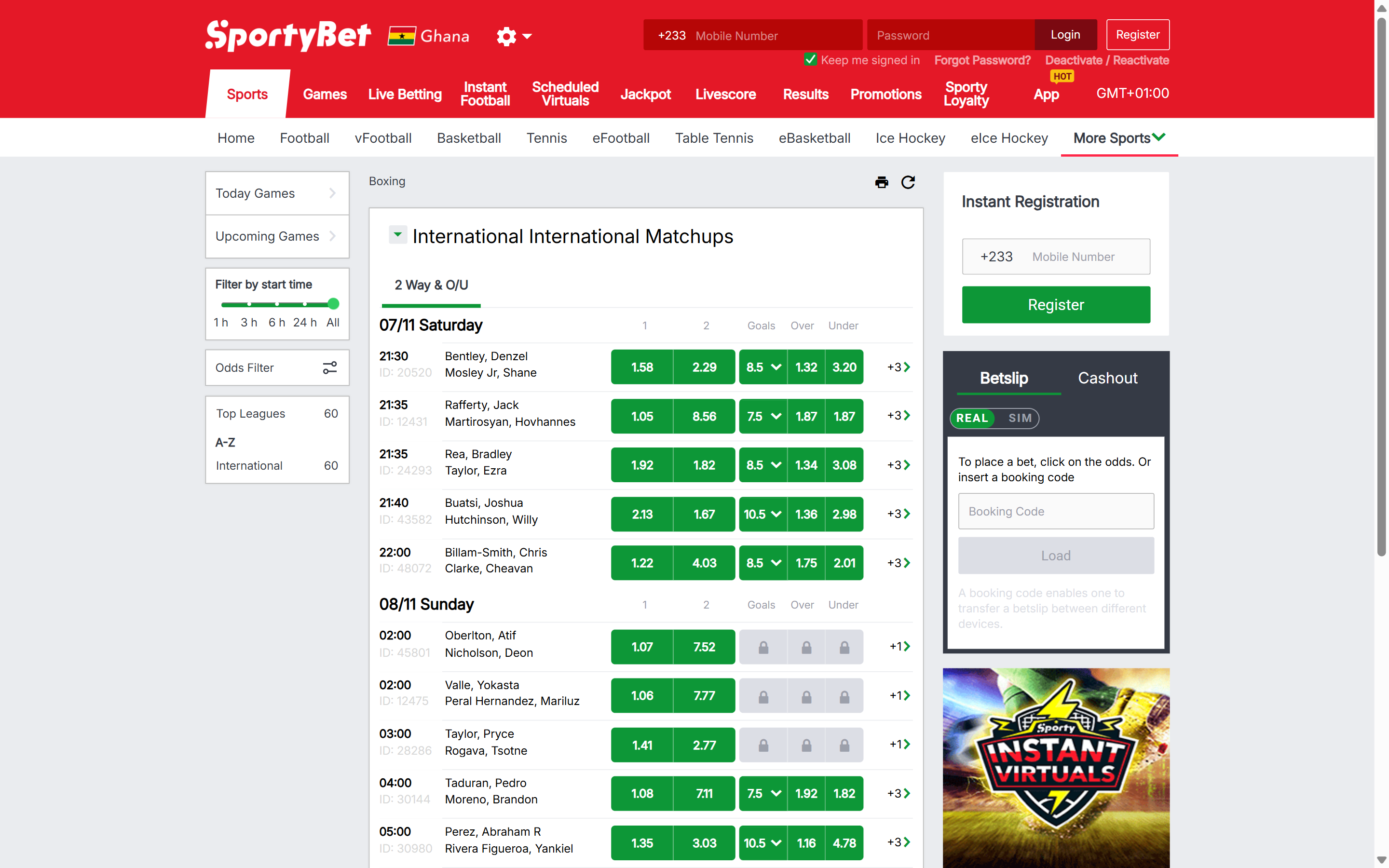
Desktop layout: boxing
The desktop boxing page separates sports and competition navigation on the left, bouts and market controls in the centre, and the betslip on the right. The wider view keeps these areas visible together instead of placing the slip in a floating phone control. Ghana and the +233 login field identify the selected market. The event list is the useful focus here; registration and promotional panels also occupy part of the desktop layout.
Ghana identity and current register entry
The Gaming Commission of Ghana register, read and filtered for SPORTYBET in Chrome on , lists Sports Betting and Online Casino in separate Accra rows. Both show issue date 1 Jan 2026 and recorded expiry 31 Dec 2026. The table identifies the trade name, activities and period; it does not publish the legal entity, domain or licence identifier in those rows.
The operator’s About Us page names SportyBet Ltd trading as SportyBet Ghana. The website footer separately states licence number 0000237. The company name and number are website statements, distinct from the regulator’s trade-name entries.
SportyBet alongside MSport and Betway
SportyBet opens League within the fixture page, with countries and competitions in separate columns. MSport gives competition selection a separate Sports screen before its compact Today list. Betway has its own focused Upcoming view and market-group navigation. For SportyBet, the useful comparison is the route to a fixture and the published payment conditions; a compact list is not evidence of payout performance.
Questions about SportyBet Ghana
Is GHS 7,500 the maximum withdrawal?
No. The General FAQ uses amounts below GHS 7,500 for its instant-processing statement. The dedicated guide publishes a GHS 75,000 Mobile Money maximum and a GHS 100,000 bank maximum per transaction, with a separate Pending-review rule.
What is the current published deposit range?
The dedicated Ghana guide read on 7 November 2026 states GHS 1–100,000 per transaction. The account’s selected payment method, registered number and verification conditions remain relevant.
Where are payment records and help?
Me separates Transaction Records from Sports Bet History. The same screen gives Customer Service its own entry, opening SportyHelp’s search and topic cards.
Does self-exclusion guarantee unrestricted access to a balance?
No. The public policy retains login for withdrawals but states that a balance not previously staked is not withdrawable. Ask official support about the restriction and available administrative options; do not place bets to release funds.
Our view
SportyBet’s useful feature is the set of fixture controls immediately above its compact football list. Me also separates sports records, payment records and help clearly. The main navigation costs are shortened league names, independently scrolling selector columns and horizontal market ribbons. Its dedicated payment pages provide concrete amounts, but the finance and self-exclusion conditions make the headline fee and withdrawal statements incomplete when read alone.
This review combines direct observations of SportyBet’s public Ghana mobile website, dated screenshots, official account and payment terms, and the current Ghana register entry. Read our method.
Related guides
Operator directory · Mobile Money conditions · Gambling support