
- Useful feature: Today groups fixtures by competition, with market tabs above the cards.
- Competition selection: a separate selector includes start-time and odds-range controls.
- Small-screen drawback: sports and market ribbons need horizontal scrolling to reveal later choices.
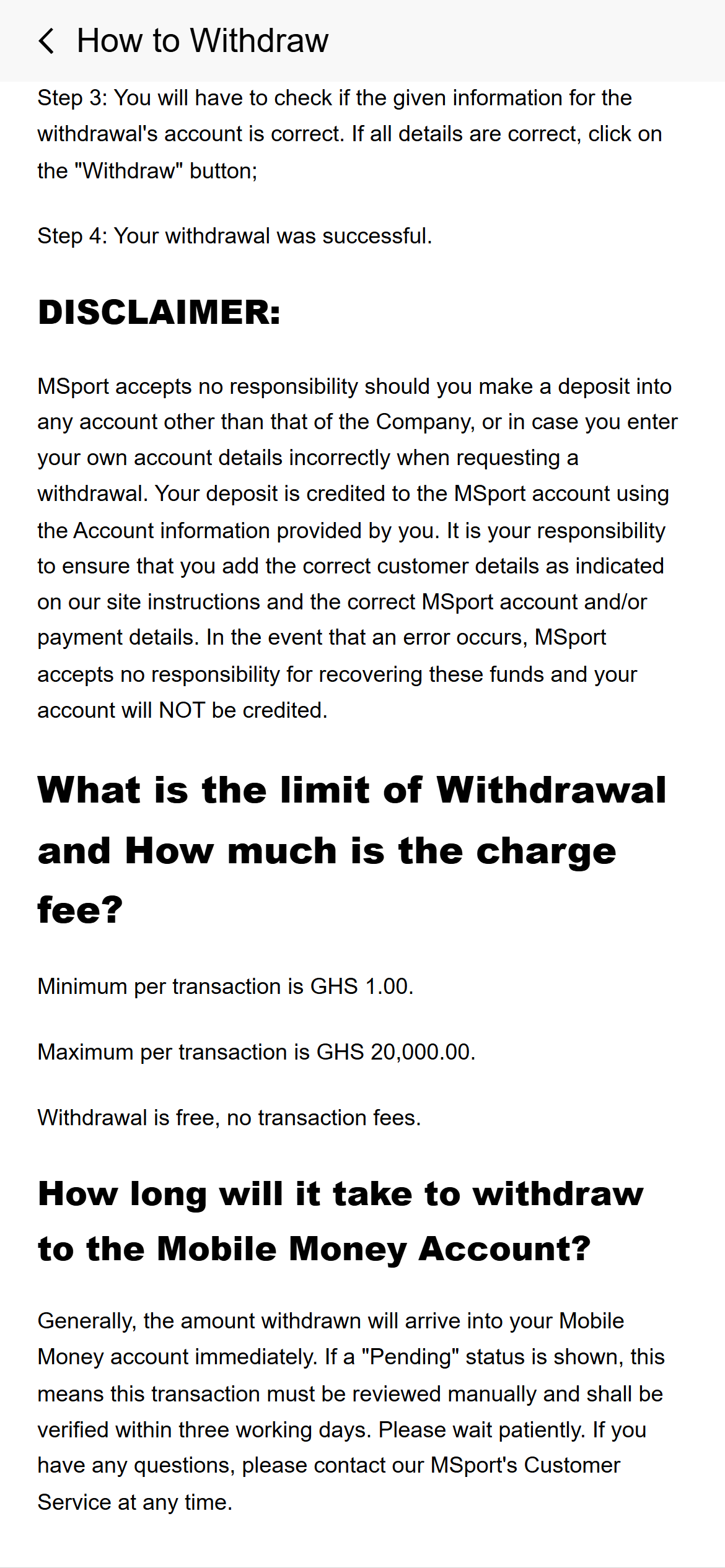
- Published amounts: the deposit and withdrawal help pages each state GHS 1–20,000 per transaction.
- Review condition: a Pending withdrawal may require manual verification within three working days.
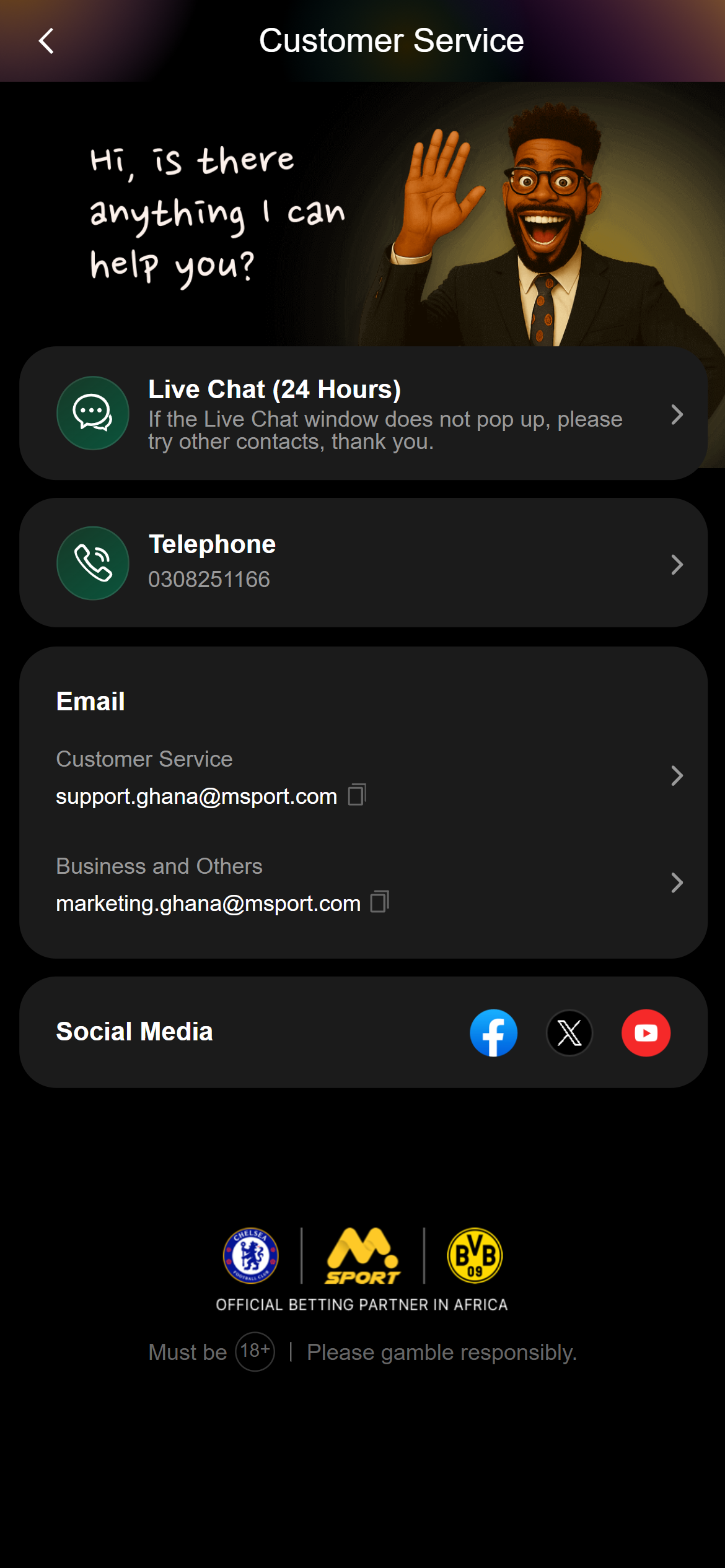
- Ghana help: telephone, a Ghana support email and a contact page advertising 24-hour live chat.
Football navigation on a phone
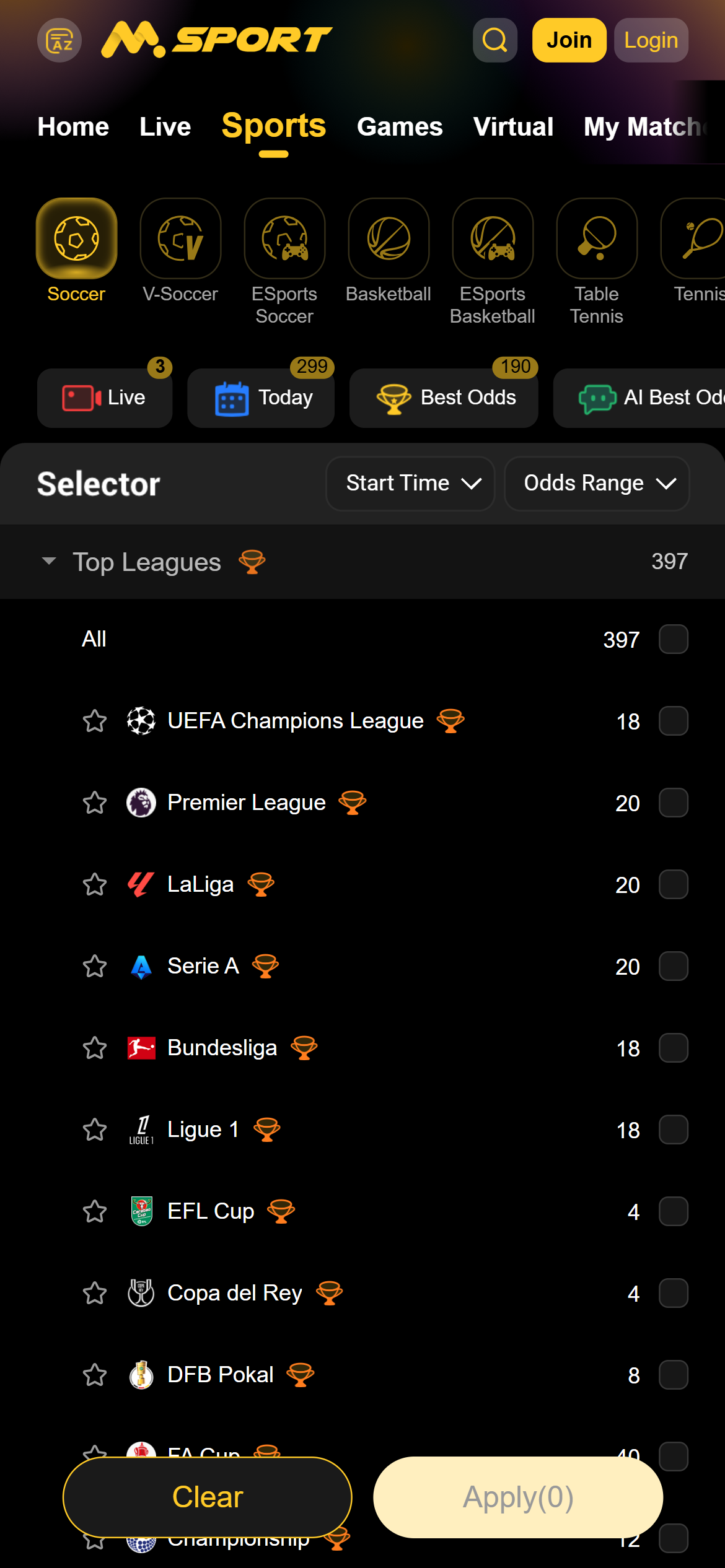
A selector before the fixture list
The Sports page opens with a horizontal sports ribbon and shortcuts including Live, Today and Best Odds. Below it, Selector separates Top Leagues from the longer country and competition choices. Start Time and Odds Range sit above the selection area.
Competition rows have checkboxes, with Clear and Apply at the bottom of the screen. This gives league selection its own space rather than mixing a long country list into every fixture card. The tradeoff is an extra selection step; the Sports page is not itself the compact schedule.
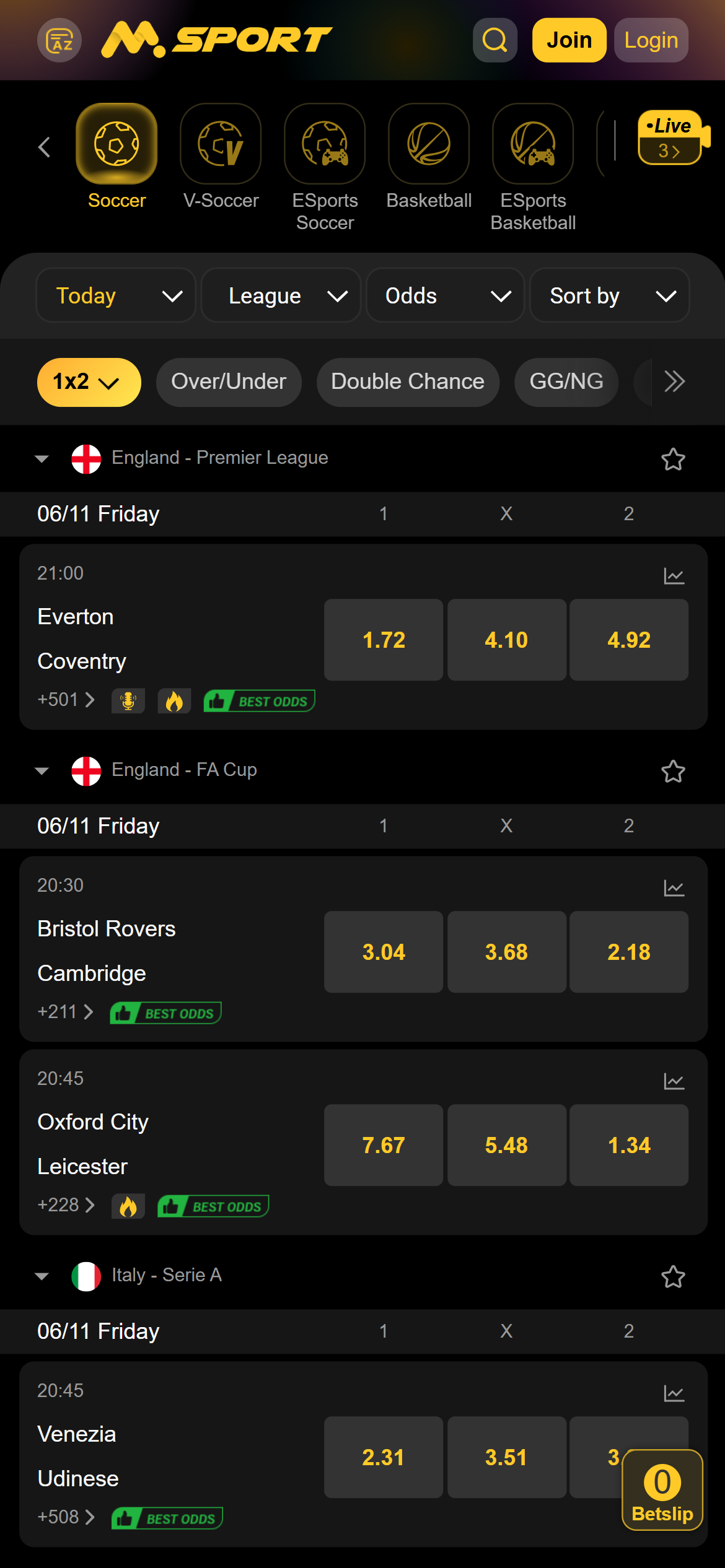
Today: a more direct schedule
The Today view puts date, League, Odds and Sort by controls together above the fixtures. A second ribbon changes the displayed market, including 1x2, Over/Under, Double Chance and GG/NG. Matches are grouped by competition and date, with the start time, teams and additional-market link on each card.
This arrangement is easier to scan than the Home page, which also contains promotional banners, game panels and featured events. The floating Betslip counter remains near the lower-right corner. Both the sports and market ribbons extend beyond the visible phone width, so the later choices require sideways navigation. Events and prices in the screenshots are examples captured on 6 November.
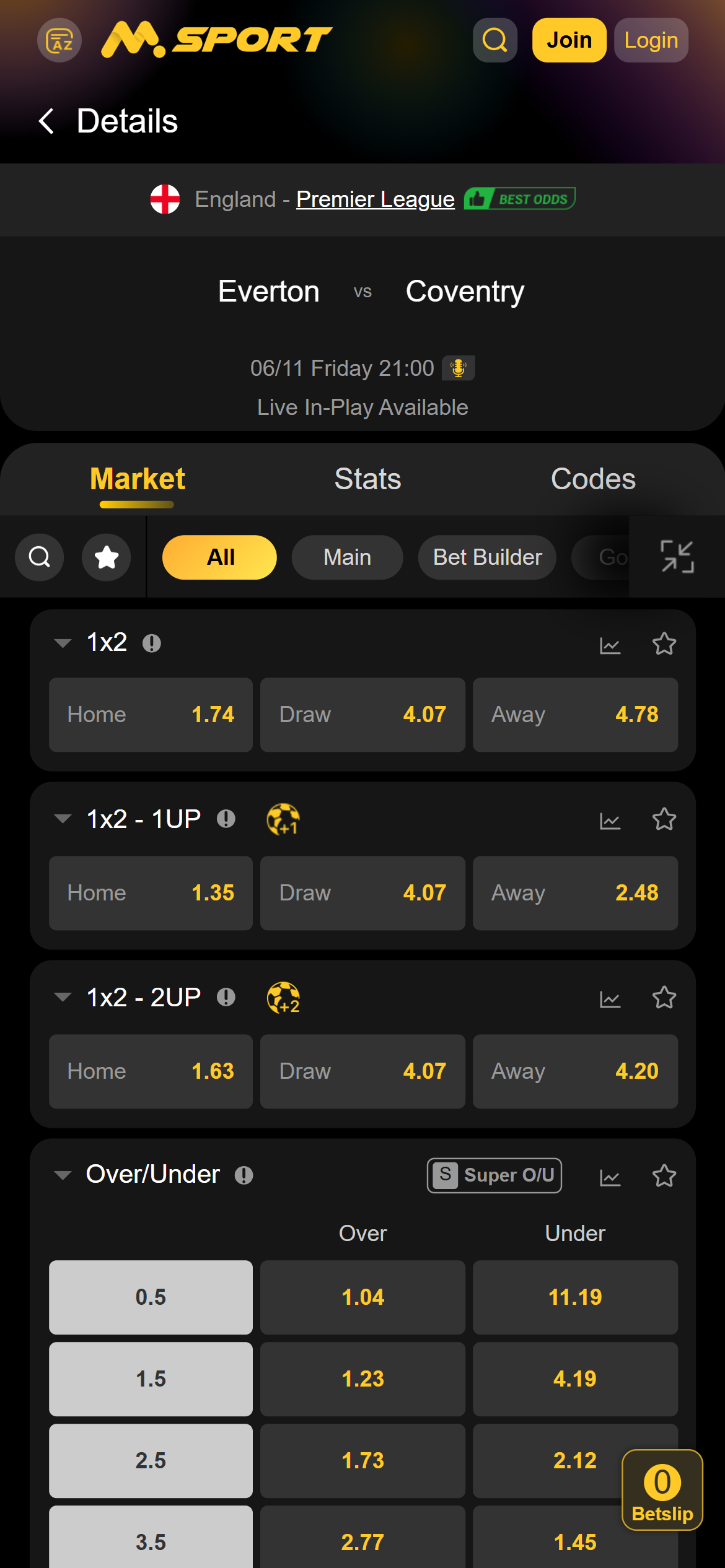
Inside a match: market groups and separate statistics
The Everton–Coventry example places the competition, teams and start time above Market, Stats and Codes tabs. Within Market, All and Main sit beside Bet Builder and categories such as Goals, Half, Bookings and Corners. Search and a star control occupy the left side of the category ribbon.
Switching to Goals changed the list to goal-related panels, including team totals and goal ranges. Grouping gives a practical route through the long All view, whose separate 1x2, early-payout variants and total-goals panels take several screens. The categories themselves need horizontal scrolling; the first screen exposes only part of the ribbon.
Mobile Money: published amounts and withdrawal conditions
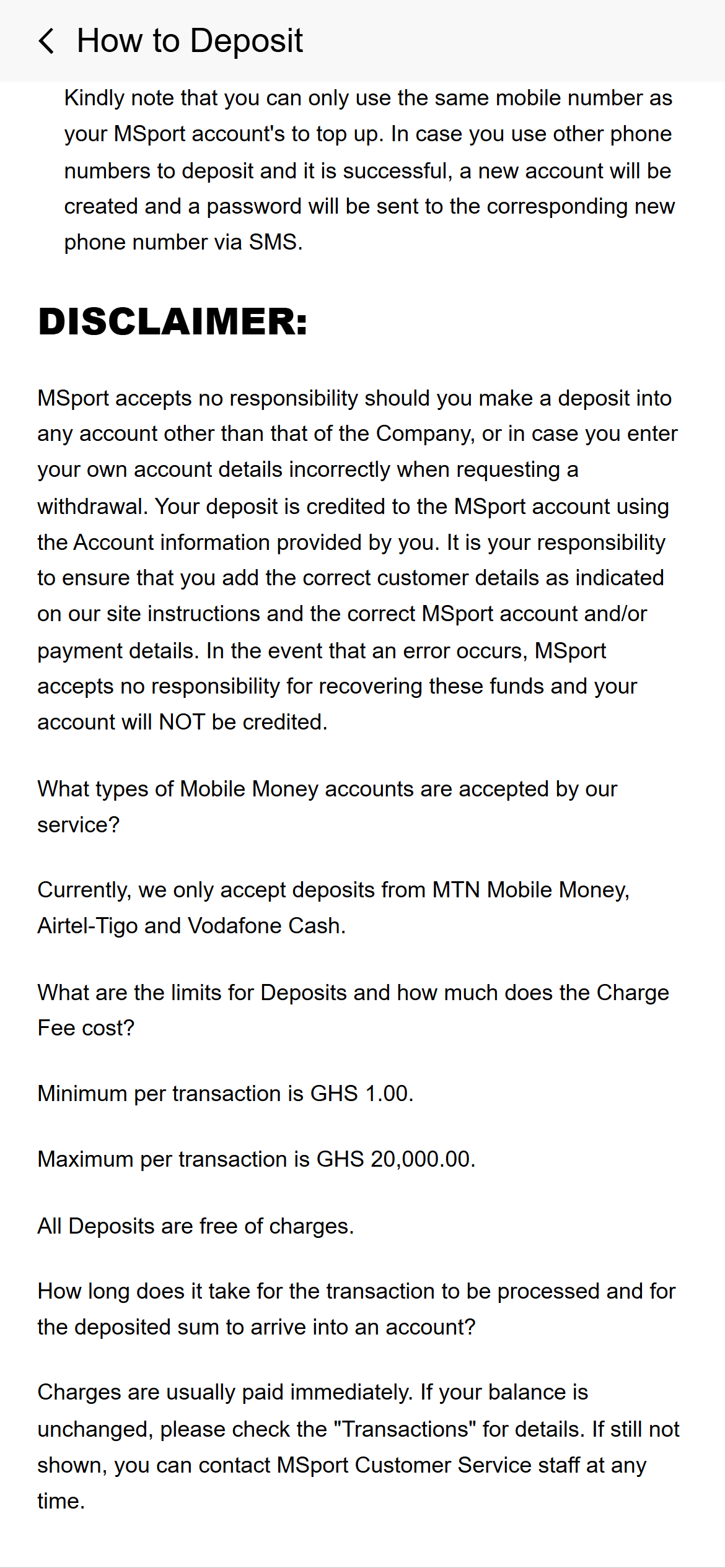
Deposit methods and the registered number
The public How to Deposit guide names MTN Mobile Money, Airtel-Tigo and Vodafone Cash. These are the labels printed by the source. It describes online payment selection and a separate Paybill route using *711*800#.
The guide states a GHS 1 minimum and GHS 20,000 maximum per transaction, with no deposit charge. It also says the mobile number used to top up must match the MSport account. Its warning is unusually specific: a successful deposit from another number can create a separate account for that number. Matching the registered number is therefore a material account condition.
The page still uses the Vodafone Cash and Airtel-Tigo names, so those labels should be read as published guidance rather than a newly verified cashier-provider list. Compare Mobile Money conditions.
Withdrawal limits and Pending review
The How to Withdraw guide names the same three wallet labels and publishes GHS 1–20,000 per transaction, with no transaction fee. It describes ordinary wallet credit as immediate, but says a Pending status means manual review, to be verified within three working days.
The Ghana FAQ also describes instant processing up to GHS 20,000 per withdrawal. Its larger sports-payout and daily-payout figures answer a different question: they do not replace the payment guide’s per-transaction withdrawal limit. These timings are the operator’s published processing statements, rather than a measured payout result.
Read the finance terms alongside the payment help
| Subject | Published condition |
|---|---|
| Deposit amount | GHS 1–20,000 per transaction in How to Deposit; the guide states no deposit charge. |
| Withdrawal amount | GHS 1–20,000 per transaction in How to Withdraw; the guide states no transaction fee. |
| Manual review | The withdrawal guide allows up to three working days to verify a Pending request. |
| Payment destination | Finance clause 2.1 says withdrawals return to the depositing payment account where possible and can only be paid to the registered account holder. |
| Unused deposits | Clause 2.3 reserves reasonable deposit and withdrawal costs where a deposit has not been used in full. It gives no fixed fee. |
| Identity checks | Account clauses 1.3–1.4 allow restrictions during verification and pending withdrawals while a requested address check is incomplete. |
The finance terms add an important exception to the help page’s simple no-fee statement: a withdrawal involving an unused deposit may incur reasonable costs. They also make the customer’s payment identity relevant to the destination. An amount within the published range can still be subject to these account conditions.
Account access, verification and records
The account terms require accurate details and allow age and identity checks. They explicitly permit account suspension or restrictions until requested verification is satisfactory. If MSport sends an address-verification letter, offers and withdrawal requests may remain pending until the address is confirmed. The terms also limit each customer to one account and reserve closure, suspension or withholding of payable amounts for duplicate accounts.
The Ghana FAQ describes the username as the phone number verified during registration. Password recovery starts at Forgot Password?; its change-password route is Me → profile → Account info → Change Password. Account clause 2.6 says balance and transaction history are available after login. These instructions locate account functions, while the public website keeps Join and Login prominent at the top.
Some help copy uses Register where the current mobile header says Join, and the FAQ’s withdrawal answer refers to a bank account while the dedicated withdrawal guide lists Mobile Money. The separate guides give more specific payment detail. The Introduction also restricts certain Ghana-based products to Ghanaian citizens and reserves rejection where citizenship cannot be established.
Ghana support and complaints
Contact choices on one page
The Ghana Customer Service page groups a Live Chat card advertising 24-hour availability, telephone 0308251166 and support.ghana@msport.com. A separate marketing address is labelled for business enquiries. The page also provides social-media controls.
Keeping phone and email alongside chat makes the alternatives clear. The page itself advises using another contact if the chat window fails to appear. For a transaction dispute, the complaints terms direct customers to MSport first and describe referral to an arbiter if the dispute remains unsettled. That is the operator’s contractual procedure.
The Gaming Commission’s FAQ provides the regulator’s complaint contact route. Keep the amount, transaction reference, date, displayed status and correspondence when explaining a payment problem. Report a factual correction to this review.
Self-exclusion and access to remaining funds
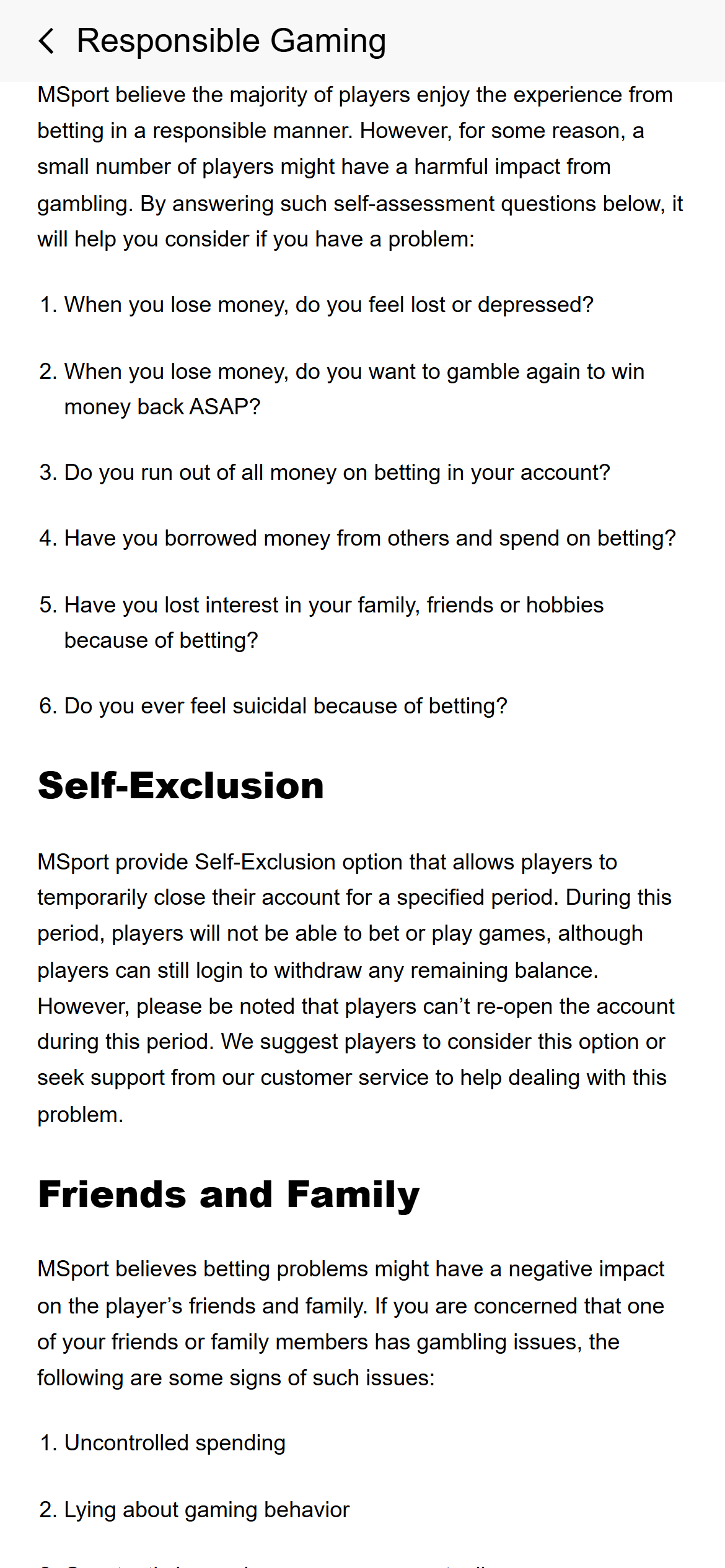
The Responsible Gaming page describes self-exclusion for a specified period. It says betting and games are blocked during that period, while login remains available to withdraw a remaining balance. It also says the account cannot be reopened during the selected period.
The same page directs customers to support and says staff will call to confirm a self-exclusion decision. It does not give a menu of exclusion durations in the public text. A request should therefore specify the required restriction and obtain its applicable period through the official account or support route. Find independent gambling-support resources. Gambling involves the risk of losing money; this website is for adults aged 18 and over.
Desktop layout: boxing
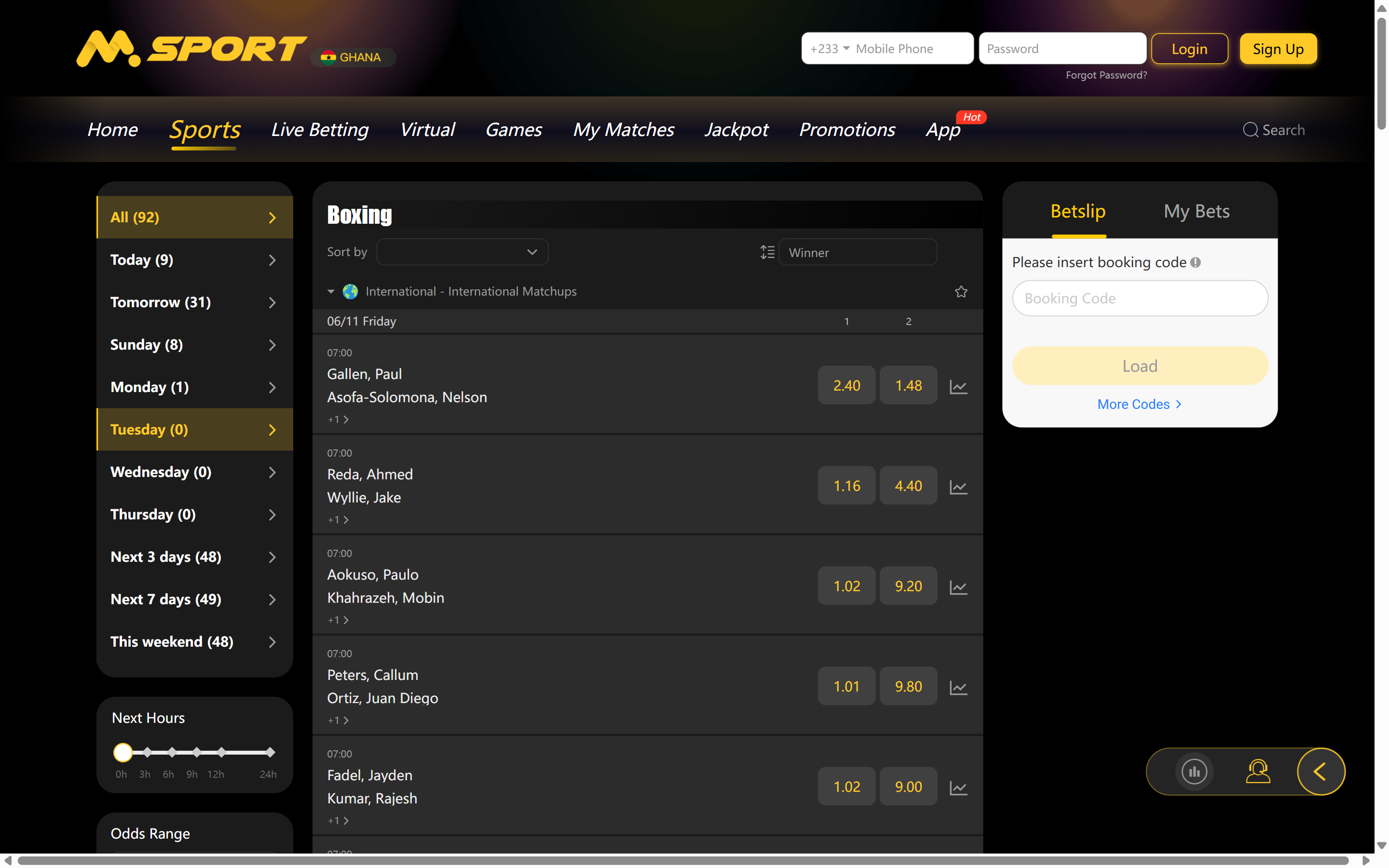
The desktop boxing page places date filters at the left, a central bout list under a Winner market control, and Betslip and My Bets at the right. Several bouts are visible together, with additional markets linked beneath the competitors. The Ghana label and +233 login field identify the selected market. The layout separates filtering, events and the slip clearly, although the page retained a horizontal scrollbar at the 1440-pixel capture width.
Ghana register and website licence statements
The Gaming Commission of Ghana register, read on , lists MSPORT for Sports Betting and Online Casino in Accra. Both selected rows show issue date 1 Jan 2026 and expiry 31 Dec 2026. Those rows establish the trade name, activities and recorded period; they do not identify a website domain or publish licence numbers.
The operator’s About page and footer state sports licence GCSB26R0957A and casino licence GCCA26S3348H. Those identifiers are operator statements. The website uses the wording “National Gaming Board”, whereas the current register is published by the Gaming Commission of Ghana; use the linked Commission record for the regulator’s own listing.
MSport alongside Betway and betPawa
MSport gives competition selection a separate screen, then places date, league, odds and sorting controls above Today’s cards. Our Betway review describes its focused Upcoming view and market-group navigation. The betPawa review covers its sport, league, market and date selectors. These dated interface observations help compare the route to a fixture without treating a menu design as proof of payout quality.
Questions about MSport Ghana
What is the published minimum deposit?
The Ghana How to Deposit guide read on 6 November 2026 states GHS 1, with a GHS 20,000 maximum per transaction. It also requires the deposit mobile number to match the MSport account.
How long does a withdrawal take?
The operator describes ordinary wallet credit as immediate. Its dedicated guide says Pending withdrawals require manual review and may take up to three working days to verify. Account and identity checks also apply.
Where does the public help place withdrawals and transaction records?
The FAQ places Withdraw under Me on the Home page. Account clause 2.6 says transaction history and balance are available after login. The public help pages describe these functions separately from the fixture list.
Can a self-excluded customer access remaining money?
The public policy says login remains available to withdraw a remaining balance during self-exclusion, while betting and games are blocked. It says the account cannot be reopened during the selected exclusion period.
Our view
MSport’s useful distinction is between a competition selector and a compact Today schedule. The match categories also make a long market page easier to navigate. Horizontal ribbons and inconsistent account-help labels are the main usability drawbacks we observed. For payments, the practical detail lies in reading the published transaction amounts together with the Pending-review rule, registered-number requirement and finance terms’ cost exception.
This review combines direct observations of MSport’s public Ghana website, dated screenshots, official payment and account terms, and the Ghana register entry. Read our method.
Related guides
Operator directory · Mobile Money conditions · Gambling support